
By using this site, you agree to the Privacy Policy and Terms of Use.
Accept
OCR Technology Insights | A1-Tech.co.uk - Latest News & Expert Tips
  • OCR Online
    OCR OnlineShow More
    Online OCR guide: turn photos into editable documents
    Online OCR guide: turn photos into editable documents
    April 14, 2026
    Make scanned text useful: pick the right OCR tool for your work
    Make scanned text useful: pick the right OCR tool for your work
    April 13, 2026
    How to convert image to editable text using online OCR
    How to convert image to editable text using online OCR
    April 12, 2026
    Find clarity in pixels: top online OCR services for scanned documents and PDFs
    Find clarity in pixels: top online OCR services for scanned documents and PDFs
    April 11, 2026
    Online ocr explained: how to extract text from images for free
    Online ocr explained: how to extract text from images for free
    March 10, 2026
  • OCR
    OCRShow More
    How OCR technology saves hours of manual data entry for companies
    How OCR technology saves hours of manual data entry for companies
    March 8, 2026
    Make documents useful: choosing the best OCR software for your business
    Make documents useful: choosing the best OCR software for your business
    March 8, 2026
    Accessibility and Inclusivity: How OCR Benefits People with Visual Impairments
    October 4, 2023
    OCR and AI: The Synergy That Powers Intelligent Document Management
    October 4, 2023
    The Evolution of OCR Technology: From Early Beginnings to Modern Applications
    October 4, 2023
  • OCR Software
    OCR SoftwareShow More
    OCR vs AI text recognition: separating tools from intelligence
    OCR vs AI text recognition: separating tools from intelligence
    April 10, 2026
    Scan smarter: 15 ocr tools that save time
    Scan smarter: 15 ocr tools that save time
    April 9, 2026
    How OCR technology works: a simple guide for beginners
    How OCR technology works: a simple guide for beginners
    April 8, 2026
    Ten optical character recognition tools for 2026 that actually work
    Ten optical character recognition tools for 2026 that actually work
    April 7, 2026
    OCR reshapes patient care: digitizing medical records faster
    OCR reshapes patient care: digitizing medical records faster
    April 6, 2026
  • Tech News
    Tech NewsShow More
    Where technology is headed next: trends that will shape the decade
    Where technology is headed next: trends that will shape the decade
    April 15, 2026
    The biggest tech shifts you didn’t see coming (until now)
    The biggest tech shifts you didn’t see coming (until now)
    March 11, 2026
    Top 10 tech stories everyone is talking about right now
    Top 10 tech stories everyone is talking about right now
    March 11, 2026
    Google Photos’ AI-powered Magic Editor feature to ship with Pixel 8 and 8 Pro
    October 4, 2023
    Spotify Premium to include free access to audiobooks in UK, Australia
    October 4, 2023
  • Blog
Reading: How OCR is quietly transforming office workflows
Best Deal
Aa
OCR Technology Insights | A1-Tech.co.uk - Latest News & Expert TipsOCR Technology Insights | A1-Tech.co.uk - Latest News & Expert Tips
  • OCR Online
  • Tech News
  • OCR
  • OCR Software
  • Adventure
Search
  • Home
  • Categories
    • OCR Online
    • Tech News
    • OCR
    • OCR Software
  • More Foxiz
    • Contact
    • Blog
Top 10 tech stories everyone is talking about right now

Top 10 tech stories everyone is talking about right now

Andrew Taylor Andrew Taylor March 11, 2026
Facebook Like
Instagram Follow
Youtube Subscribe
Tiktok Follow
  • Job @FoxizMagazine
  • Privacy Policy
  • Advertise
  • Subscribe
© Foxiz News Network. Ruby Design Company. All Rights Reserved.
OCR Technology Insights | A1-Tech.co.uk - Latest News & Expert Tips > Blog > OCR Software > How OCR is quietly transforming office workflows
OCR Software

How OCR is quietly transforming office workflows

Andrew Taylor
Last updated: 2026/04/03 at 9:14 AM
By Andrew Taylor 7 Min Read
Share
How OCR is quietly transforming office workflows
SHARE

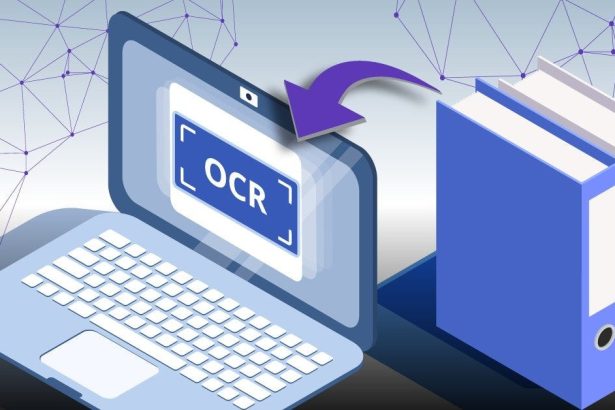
Paper used to be a wall between teams and information, but optical character recognition has been chiseling that wall away. How Businesses Use OCR to Automate Document Processing is no longer a tech slogan; it’s a practical roadmap for reducing manual data entry and speeding decisions. This article walks through how OCR works, where it helps most, and what to watch for during implementation.

Contents
How OCR works under the hoodTypes of OCR tools and when to choose themCommon business use casesHow to implement OCR in your workflowsBenefits, pitfalls, and best practicesReal-world example from my experienceLooking ahead

How OCR works under the hood

At its simplest, OCR converts images of text into machine-readable characters using pattern recognition and machine learning. Modern systems pair classic image processing with neural networks to handle fonts, layouts, and imperfect scans more reliably than older rule-based engines. The output can be plain text, searchable PDFs, or structured data ready for business systems.

Preprocessing is a surprisingly important step that includes de-skewing, noise reduction, and contrast enhancement to improve recognition accuracy. Postprocessing then applies dictionaries, context-aware rules, and confidence thresholds to correct or flag uncertain readings. Together these stages move a raw scan into a usable data stream that downstream automation can trust.

Types of OCR tools and when to choose them

Not all OCR is created equal: different technologies suit different document types and workflows. Before choosing a solution, match the tool to your needs whether that’s speed for high-volume invoices or flexibility for messy handwritten forms.

Type Strength Typical use
Traditional OCR Fast on printed, consistent fonts Batch invoices, contracts
Intelligent Character Recognition (ICR) Better at handwriting and variable input Forms, surveys
Layout-aware OCR Preserves tables and document structure Financial statements, reports

Cloud OCR services often bundle model updates, scale, and integration APIs, while on-premises solutions give you tighter control over sensitive documents. Hybrid deployments can balance compliance with the convenience of cloud-based processing. Choosing between them depends on regulatory constraints, volume, and the IT team’s appetite for maintenance.

Common business use cases

Accounts payable is a classic example: OCR extracts vendor names, invoice numbers, and line items so approvals move faster and errors drop. HR departments use OCR to digitize resumes and onboarding paperwork, enabling searchable personnel records instead of stacked folders. Insurance firms process claims and medical records with OCR to trim turnaround times and reduce manual re-keying.

Legal teams leverage OCR to make discovery documents searchable and to index contracts by clause or date. Banks apply OCR to checks and KYC documents to accelerate account openings and compliance checks. Even facilities management uses OCR for equipment logs and maintenance histories to feed planning systems.

Beyond internal efficiency, OCR unlocks customer-facing automation like self-service onboarding and faster claims payouts. Customers snap photos with their phones and the backend extracts and validates the data automatically. That kind of frictionless experience directly impacts satisfaction and retention.

How to implement OCR in your workflows

Start by mapping your existing process and identifying repetitive, manual steps that consume time or introduce errors. Pilot OCR on one document type with clear success metrics such as extraction accuracy and processing time reduction. Use that pilot to refine preprocessing rules, confidence thresholds, and exception-handling workflows before wider rollout.

Integrations matter: feed OCR outputs into your ERP, CRM, or RPA tools using APIs or middleware to avoid recreating manual handoffs. Establish monitoring to track recognition rates and a simple feedback loop so humans can correct mistakes and the system can learn from them. Finally, document retention, access controls, and audit trails should be built into any production deployment to meet governance requirements.

Benefits, pitfalls, and best practices

When done well, OCR reduces labor costs, improves data quality, and speeds decision-making, often with measurable ROI within months. However, poor image quality, highly variable documents, and lack of training data can limit accuracy and frustrate users. Treat OCR as an iterative program rather than a one-off project to avoid those pitfalls.

Set realistic expectations by defining acceptable error rates and an escalation path for exceptions that the software cannot resolve. Invest in good scanning equipment or mobile capture guidance to improve input quality at the source. Combine automation with human review for low-confidence extractions to maintain both speed and accuracy.

Real-world example from my experience

I helped a mid-sized logistics company move from manual invoice entry to an OCR-driven workflow that cut processing time by over half and reduced duplicate payments. We began with a focused pilot on their most common invoice template and expanded after improving OCR models and rules for edge cases. The key turning point was integrating OCR outputs with their accounting system so approvals and payments flowed without manual rekeying.

Staff initially feared job loss, but the transition freed their time for vendor relationships and exception management, which added visible business value. Regular training sessions and clear change management eased adoption and surfaced practical improvements. That human-centered rollout made the technology a tool for higher-value work rather than a threat.

Looking ahead

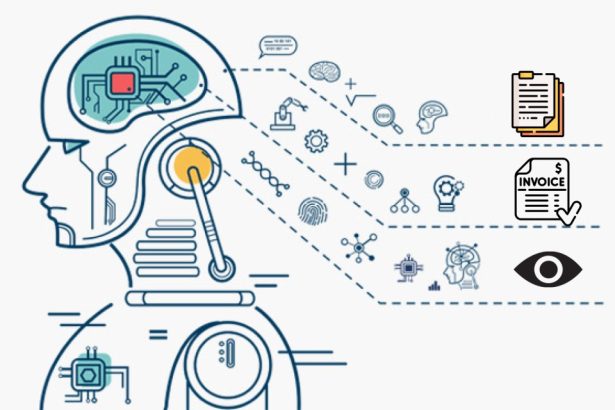
OCR is increasingly complemented by natural language processing and document understanding models that extract meaning, not just characters, from complex documents. As models improve, businesses can automate higher-level decisions like contract obligation detection and risk scoring. The smart play is to combine OCR with clear process design and human oversight to capture both speed and judgment.

For any organization considering this path, the best first step is a small, measurable pilot that targets a painful manual task. From there, iterate, measure, and expand the scope in ways that preserve data quality, compliance, and employee engagement. That approach turns OCR from a technical novelty into a dependable part of everyday operations.
Andrew Taylor April 3, 2026 April 3, 2026
Share This Article
Facebook Twitter Copy Link

How is OCR Used in Document Management?

Andrew Taylor Andrew Taylor October 4, 2023
Facebook Like
Instagram Follow
Youtube Subscribe
Tiktok Follow

Trending

How OCR technology saves hours of manual data entry for companies

Imagine turning stacks of paper into searchable digital records overnight. Optical character recognition, or OCR,…

March 8, 2026

Turn snapshots into searchable words in seconds

Every day we collect images: receipts, whiteboard photos, printed articles, and screenshots. Turning those images…

March 10, 2026

New malware targeting Android users to steal sensitive data using OCR

The landscape of cybersecurity is continually evolving, and malicious actors are constantly devising new ways…

September 12, 2023
Tech News

Where technology is headed next: trends that will shape the decade

Where technology is headed next: trends that will shape the decade

We stand at a crossroads where tools that once lived in labs are folding into everyday life, changing how we work, travel, and think about privacy. The Future of Technology:…

Andrew Taylor April 15, 2026

Your may also like!

Where technology is headed next: trends that will shape the decade
Tech News

Where technology is headed next: trends that will shape the decade

Andrew Taylor April 15, 2026
Online OCR guide: turn photos into editable documents
OCR Online

Online OCR guide: turn photos into editable documents

Andrew Taylor April 14, 2026
Make scanned text useful: pick the right OCR tool for your work
OCR Online

Make scanned text useful: pick the right OCR tool for your work

Andrew Taylor April 13, 2026
How to convert image to editable text using online OCR
OCR Online

How to convert image to editable text using online OCR

Andrew Taylor April 12, 2026

Our website stores cookies on your computer. They allow us to remember you and help personalize your experience with our site.


Quick Links

  • Job @FoxizMagazine
  • Privacy Policy
  • Advertise
  • Subscribe

Socials

Follow US
Welcome Back!

Sign in to your account